
Introduction
In today’s fast-paced software development landscape, businesses need to deliver high-quality applications quickly and reliably. Traditional software development methods often involve lengthy release cycles, manual testing, and error-prone deployments. These challenges can slow innovation and increase operational costs. This is where a CI/CD pipeline becomes essential.
A well-designed Continuous Integration and Continuous Delivery (CI/CD) pipeline automates the software development lifecycle, enabling teams to build, test, and deploy applications efficiently. By reducing manual intervention and ensuring consistent workflows, CI/CD helps organizations release software faster while maintaining high quality and security.
Whether you’re a beginner exploring DevOps or an experienced engineer looking to optimize your workflows, understanding how to build an efficient CI/CD pipeline is a valuable skill. This guide explains the key concepts, components, best practices, tools, and step-by-step process for creating a modern CI/CD pipeline.
What Is a CI/CD Pipeline?
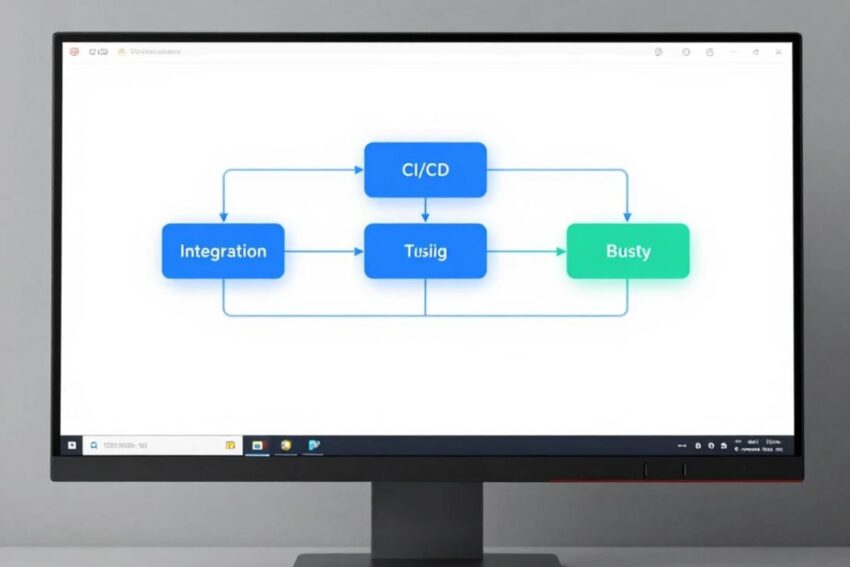
A CI/CD pipeline is an automated workflow that moves code from development to production through a series of predefined stages. It ensures that every code change is automatically built, tested, validated, and deployed with minimal manual effort.
CI/CD consists of two primary practices:
Continuous Integration (CI)
Continuous Integration involves automatically merging code changes into a shared repository. Each commit triggers automated builds and tests to detect issues early.
Continuous Delivery (CD)
Continuous Delivery automates the release process so that applications are always ready for deployment. Teams can deploy updates quickly and safely whenever needed.
Some organizations also implement Continuous Deployment, where every validated code change is automatically released to production without manual approval.
Why Is a CI/CD Pipeline Important?
Modern software applications require frequent updates to meet user expectations and business demands. A CI/CD pipeline streamlines software delivery while minimizing risks.
Key benefits include:
- Faster software releases
- Improved code quality
- Reduced deployment errors
- Faster bug detection
- Better collaboration between development and operations teams
- Consistent deployment processes
- Increased productivity
- Enhanced customer satisfaction
By automating repetitive tasks, teams can focus on developing new features instead of managing manual deployments.
Core Components of an Efficient CI/CD Pipeline
An effective CI/CD pipeline consists of several interconnected stages that automate the software delivery process.
1. Source Code Management
The pipeline begins with a version control system where developers store and manage source code.
Common platforms include:
- Git
- GitHub
- GitLab
- Bitbucket
Version control enables collaboration, tracks code changes, and supports branching strategies for parallel development.
2. Continuous Integration
Whenever developers push code to the repository, the CI server automatically starts the integration process.
Typical CI tasks include:
- Pulling source code
- Installing dependencies
- Compiling the application
- Running automated tests
- Performing code quality analysis
This stage ensures that code changes integrate smoothly with the existing application.
3. Automated Testing
Testing is one of the most important stages of any CI/CD pipeline.
Automated testing verifies that new code functions correctly without introducing bugs.
Common testing types include:
Unit Testing
Tests individual functions or components.
Integration Testing
Ensures different application modules work together correctly.
Functional Testing
Verifies application features from the user’s perspective.
Security Testing
Detects vulnerabilities before deployment.
Performance Testing
Measures application speed, scalability, and reliability under load.
Running these tests automatically helps identify issues early, reducing the cost and effort of fixing defects later.
4. Build Stage
Once tests pass, the application is packaged into a deployable artifact.
Depending on the project, the build process may generate:
- Docker images
- Executable files
- JAR files
- ZIP packages
- Static website assets
The build should be consistent and reproducible across all environments.
5. Artifact Storage
Generated build artifacts are stored in a secure repository for future deployments.
Artifact repositories help:
- Track software versions
- Maintain deployment history
- Enable rollback if needed
- Improve release consistency
Keeping artifacts centralized simplifies software distribution across environments.
6. Deployment Automation
After successful testing and packaging, the application is deployed automatically.
Deployment targets may include:
- Development environment
- Testing environment
- Staging environment
- Production environment
Modern deployment strategies include:
- Blue-Green Deployment
- Rolling Deployment
- Canary Deployment
- Feature Flags
These approaches reduce downtime and minimize deployment risks.
7. Monitoring and Feedback
Deployment is not the end of the software lifecycle.
Continuous monitoring helps teams identify issues after release by collecting:
- Application logs
- System metrics
- User experience data
- Infrastructure performance
- Error reports
Monitoring enables rapid incident response and continuous improvement.
Step-by-Step Guide to Building a CI/CD Pipeline
Creating a reliable CI/CD pipeline involves several important steps.
Step 1: Choose a Version Control System
Store your source code in a Git repository and adopt a consistent branching strategy.
Popular workflows include:
- Git Flow
- GitHub Flow
- Trunk-Based Development
A clear branching model simplifies collaboration and release management.
Step 2: Select a CI/CD Tool
Choose a platform that supports your team’s workflow and technology stack.
Popular options include:
- Jenkins
- GitHub Actions
- GitLab CI/CD
- CircleCI
- Azure DevOps
- Bitbucket Pipelines
The right tool should integrate well with your repositories, cloud platform, and testing framework.
Step 3: Automate the Build Process
Configure the pipeline to:
- Install dependencies
- Compile source code
- Build application packages
- Generate deployment artifacts
Automation ensures every build follows the same process, reducing inconsistencies.
Step 4: Implement Automated Testing
Integrate multiple testing stages into the pipeline.
Testing should include:
- Unit tests
- Integration tests
- Functional tests
- Security scans
- Performance checks
Automated testing prevents defective code from reaching production.
Step 5: Use Infrastructure as Code (IaC)
Manage infrastructure using code rather than manual configuration.
Benefits include:
- Consistent environments
- Faster provisioning
- Version-controlled infrastructure
- Easier disaster recovery
Infrastructure as Code improves scalability and reduces configuration drift.
Step 6: Containerize Applications
Containers package applications with all required dependencies, ensuring consistent execution across environments.
Containerization provides:
- Faster deployments
- Better portability
- Simplified scaling
- Improved resource utilization
Many organizations use containers as the standard deployment format for modern applications.
Step 7: Automate Deployments
Configure automatic deployments after successful testing.
Best practices include:
- Deploy to staging first
- Validate application health
- Use approval gates for production if required
- Enable automated rollback on failure
Deployment automation minimizes downtime while improving release speed.
Step 8: Monitor Applications Continuously
Implement monitoring to track:
- CPU usage
- Memory consumption
- Response times
- Error rates
- Availability
Set up alerts to notify teams immediately when issues occur.
Continuous monitoring helps maintain application reliability and performance.
Best Practices for an Efficient CI/CD Pipeline
Building a pipeline is only the beginning. Following industry best practices ensures long-term success.
Automate Everything Possible
Reduce manual processes by automating builds, tests, deployments, and monitoring.
Keep Pipelines Fast
Long-running pipelines slow development. Optimize workflows to provide quick feedback.
Test Early and Frequently
Early testing identifies defects before they become expensive production issues.
Secure the Pipeline
Protect sensitive credentials using secure secret management.
Scan code and dependencies for known vulnerabilities.
Use Version Control Everywhere
Store source code, infrastructure definitions, and pipeline configurations in version control.
Monitor Every Deployment
Track deployments using dashboards and alerts to quickly identify issues.
Enable Rollbacks
Always have a rollback strategy in case a release introduces unexpected problems.
Popular Tools for CI/CD Pipelines
Modern DevOps teams use various tools to automate software delivery.
Git
Version control for managing source code.
Jenkins
A widely used open-source automation server for CI/CD.
GitHub Actions
Integrated automation platform for GitHub repositories.
GitLab CI/CD
Built-in continuous integration and deployment solution.
Docker
Containerization platform for consistent application packaging.
Kubernetes
Container orchestration platform for scalable deployments.
Terraform
Infrastructure as Code solution for cloud resource provisioning.
Ansible
Configuration management and deployment automation.
Prometheus
Monitoring and metrics collection.
Grafana
Visualization dashboards for infrastructure and application monitoring.
Common CI/CD Pipeline Challenges
Despite its advantages, implementing CI/CD can present several challenges.
Common issues include:
- Slow build times
- Flaky automated tests
- Pipeline configuration complexity
- Security vulnerabilities
- Infrastructure inconsistencies
- Managing multiple deployment environments
- Legacy application compatibility
Regular maintenance, documentation, and continuous optimization help address these challenges effectively.
Future Trends in CI/CD
CI/CD continues to evolve with advancements in cloud-native technologies and automation.
Key trends include:
- AI-assisted pipeline optimization
- DevSecOps integration
- GitOps workflows
- Serverless deployments
- Policy-as-Code
- Self-healing infrastructure
- Platform engineering
- Intelligent testing automation
Organizations adopting these innovations can improve software quality, security, and delivery speed.
Conclusion
Building an efficient CI/CD pipeline is one of the most important steps toward modern software development. By automating code integration, testing, infrastructure provisioning, deployment, and monitoring, organizations can deliver reliable applications faster while reducing manual effort and operational risks.
An effective CI/CD pipeline combines version control, automated testing, build automation, deployment strategies, Infrastructure as Code, containerization, and continuous monitoring into a streamlined workflow. Following best practices such as automating repetitive tasks, securing the pipeline, monitoring deployments, and maintaining fast feedback loops ensures long-term success.
As businesses continue to embrace cloud computing, DevOps, and microservices, mastering CI/CD has become a valuable skill for developers, DevOps engineers, and IT professionals. By learning the concepts and practices outlined in this guide, you can build scalable, secure, and efficient software delivery pipelines that support modern application development and future technological advancements.